
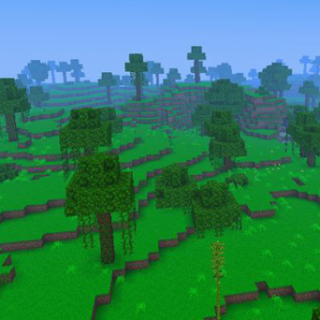
















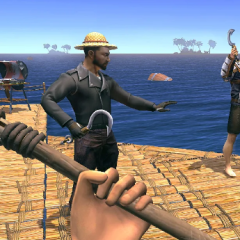






PojavLauncher is a mobile utility application designed to run Minecraft Java Edition on devices that do not natively support it. Instead of being a game itself, it functions as a launcher that creates the technical conditions required to start the Java-based client on mobile hardware. Users interact with the launcher to select game versions, manage accounts, and configure settings before entering the game environment. Its purpose is to provide access rather than alter gameplay content.
Account Access And Initial Configuration
To begin using PojavLauncher, users must configure access credentials and basic settings. The launcher supports official Microsoft authentication as well as offline profiles for local testing. After login, players choose which Minecraft Java version to download and run. Initial setup often includes assigning memory limits and selecting control methods. Touch controls are provided by default, but external keyboards, mice, or controllers can also be connected depending on the device. These options allow players to tailor the experience to their hardware capabilities.
Version Management And Custom Environments
A key feature of PojavLauncher is its ability to manage multiple Minecraft Java versions within one interface. Players can install older releases, newer updates, or experimental builds without reinstalling the launcher itself. Mod loaders can be added to extend functionality, creating environments similar to desktop setups. This flexibility allows users to maintain separate configurations for different worlds or servers. Each version operates independently, which helps avoid conflicts between files.
Common User Actions And Workflow
Using PojavLauncher involves a repeated workflow focused on preparation rather than gameplay. Typical actions performed by users include:
· selecting a Minecraft Java version to install
· configuring memory and performance options
· choosing or editing control layouts
· installing mod loaders when needed
· launching the game client through the app
These steps are repeated whenever users change versions, adjust settings, or troubleshoot issues.
Runtime Operation And Technical Limits
PojavLauncher runs Minecraft through a Java runtime adapted for mobile systems. This process translates desktop-oriented operations into forms usable by mobile hardware. Performance depends heavily on device specifications, selected game version, and configuration choices. Some advanced features or heavy modifications may not function consistently across all devices. As a result, users often experiment with settings to find stable combinations.
Role And Long-Term Use
PojavLauncher does not include progression, achievements, or internal goals. Its long-term value comes from continued access to Minecraft Java Edition on mobile platforms. Updates to the launcher focus on compatibility and stability rather than content. Users return to it whenever they want to switch game versions, test mods, or play Java-based servers on a mobile device. The application remains a technical tool that supports repeated use without a defined endpoint.
