

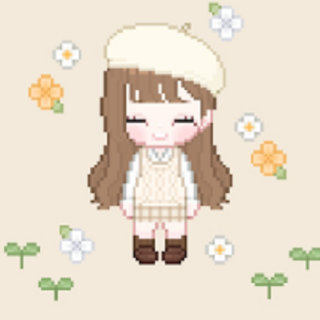


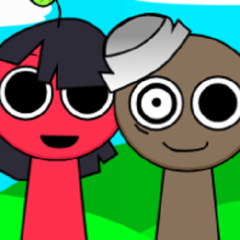
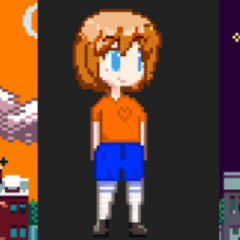


My Little Star is a mobile application designed for creating stylized chibi characters through manual customization. The game does not include objectives, scores, or competitive modes. Instead, it provides a set of visual tools that allow players to design characters according to their own preferences. Each character is built from editable elements that can be changed at any time, making the experience flexible and open-ended. Sessions can be short or long depending on how detailed the player wants the design to be.
Customization Categories And Editor Logic
The character editor in My Little Star is organized into clear categories that control different parts of the avatar. Players can modify facial features, hairstyles, outfits, and decorative elements using layered components. Each category contains multiple options that can be combined freely. Most elements support color changes, which expands the number of possible combinations. The editor updates the character in real time, allowing players to immediately see the effect of every adjustment.
Design Process And User Interaction
There is no required order for building a character. Players may begin with clothing, facial details, or accessories depending on personal preference. All changes are reversible, so experimentation is encouraged. Characters can be edited repeatedly without restrictions. During normal use, players usually perform actions such as:
· choosing base face and body elements
· adjusting eyes, mouth, and expression details
· selecting hairstyles and head accessories
· customizing clothing and color palettes
· saving completed characters for later use
This design loop allows continuous creation without forcing completion.
Saving, Exporting, And External Use
Once a character is finished, My Little Star allows the player to save the design locally. Saved characters can be exported as image files and stored on the device. The game does not include an internal social feed or sharing system, so images are shared through external platforms. Exported characters retain their original resolution and visual structure, making them suitable for digital collections or profile images.
Interface Structure And Accessibility
The interface uses simple icons and category tabs to reduce complexity. Most actions are completed through tapping and sliding controls, which makes the editor accessible to users with different experience levels. There are no penalties for incorrect choices, as all elements can be replaced instantly. The absence of time limits or resource systems allows players to work at their own pace.
My Little Star does not have a final state or progression endpoint. Replay value comes from creating new characters or revisiting older designs to make changes. Players may use the game as a creative tool rather than a traditional game, opening it whenever they want to experiment with visual ideas. The structure supports repeated use without pressure or required commitment.
